

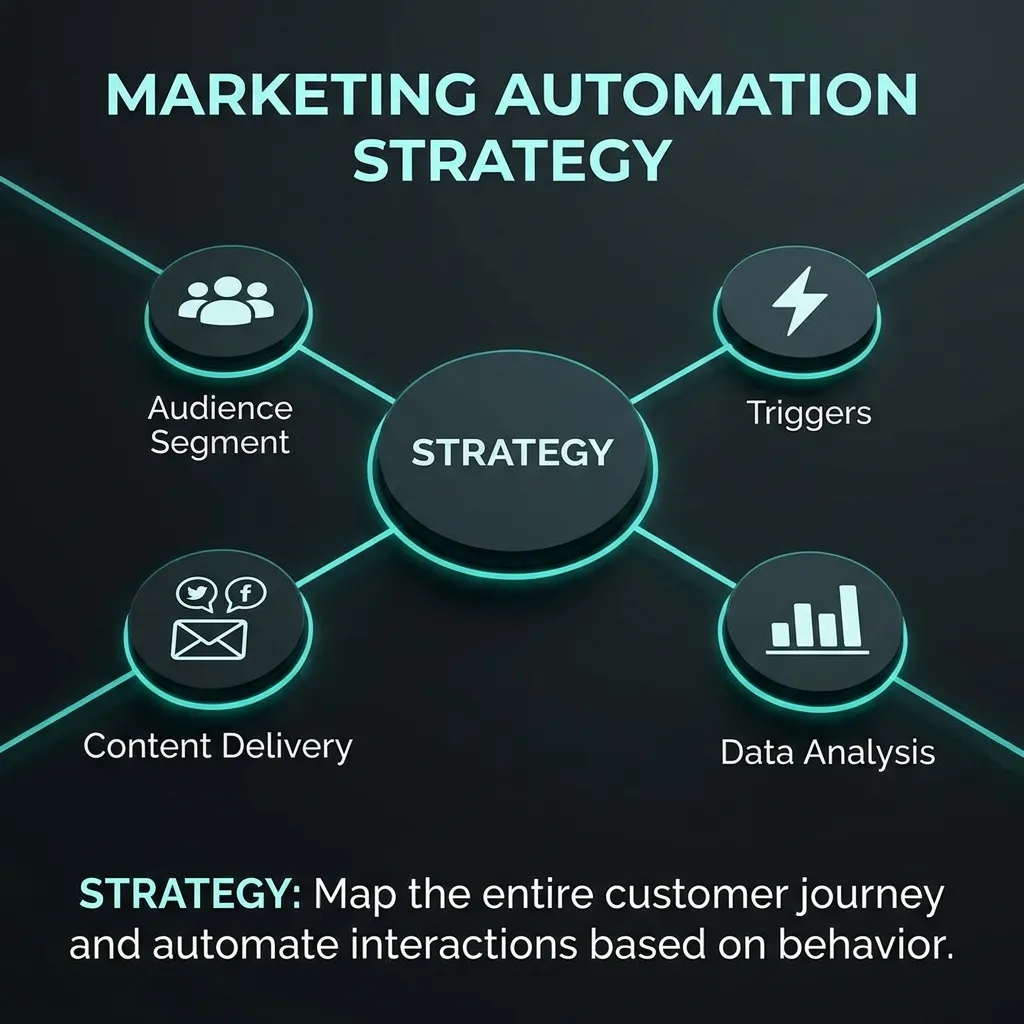
Marketing automation is the use of software and technology to automate repetitive marketing tasks, personalize customer experiences, manage leads, and improve marketing efficiency. Instead of manually sending every email, following up with every lead, or managing each customer journey individually, businesses can create automated workflows that respond to customer behavior and move prospects through the buying journey.
Modern marketing automation goes far beyond automated emails. Businesses can automate lead nurturing, customer segmentation, campaign management, social interactions, CRM updates, analytics, personalization, and customer engagement across multiple channels.
For small businesses, marketing automation can reduce repetitive work and help small teams compete with larger organizations. For SaaS companies and growing enterprises, automation can connect marketing and sales processes, improve lead management, and create scalable customer journeys.
Artificial intelligence is also changing marketing automation. AI-powered systems can analyze customer behavior, personalize messages, predict potential actions, generate content, and optimize campaigns.
This complete guide explains marketing automation, including marketing automation software, tools, platforms, workflows, strategies, campaigns, AI marketing automation, CRM integration, SaaS use cases, and best practices.
What Is Marketing Automation?
Marketing automation is the process of using technology to automatically execute, manage, and measure repetitive marketing activities based on predefined rules, customer information, or behavioral triggers.
Instead of manually performing every marketing task, marketers can create automated sequences that respond to specific customer actions.
For example, when someone downloads an ebook, a marketing automation system can automatically:
- Capture the person’s information.
- Add the contact to a specific audience.
- Send a confirmation email.
- Wait a defined period.
- Send educational content.
- Track engagement.
- Update the contact’s lead score.
- Notify the sales team when the lead becomes highly engaged.
This creates a consistent customer journey while reducing manual work.
How Does Marketing Automation Work?
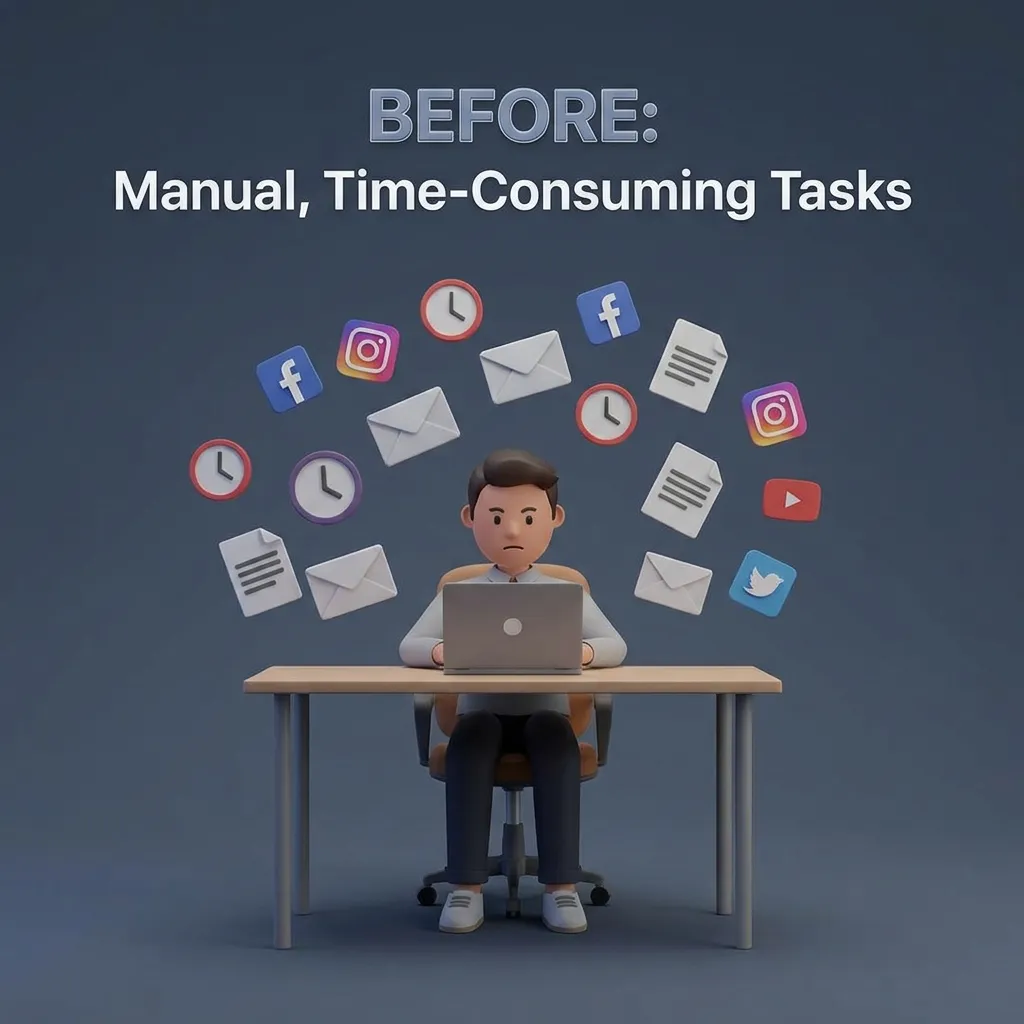
Marketing automation generally works through a combination of triggers, conditions, actions, customer data, and workflows.
A typical automation may look like:
Customer action → Trigger → Condition → Automated action → Tracking → Next action
For example:
Website signup → Welcome email → Email opened → Educational email → Product page visited → Sales notification
The system continuously collects behavioral information and uses predefined rules to determine what happens next.
Why Is Marketing Automation Important?
Marketing automation helps businesses manage large numbers of prospects and customers without manually handling every interaction.
Key benefits include:
- Reduced repetitive marketing work
- Faster lead follow-up
- Better customer segmentation
- Personalized communication
- Consistent campaigns
- Improved lead nurturing
- Better marketing and sales alignment
- More efficient campaign management
- Improved reporting
- Scalable customer engagement
The goal is not simply to automate more tasks. The goal is to automate the right tasks while maintaining relevant and valuable customer experiences.
Marketing Automation vs Traditional Marketing
Traditional marketing often depends heavily on manual execution.
For example, marketers may manually create email lists, schedule follow-ups, update spreadsheets, and notify sales teams.
Marketing automation connects these activities through workflows and customer data.
| Traditional Marketing | Marketing Automation |
|---|---|
| Manual follow-ups | Automated follow-ups |
| Static audience lists | Dynamic segmentation |
| Repetitive tasks | Workflow-based tasks |
| Manual lead management | Automated lead scoring |
| Limited personalization | Behavior-based personalization |
| Separate processes | Connected workflows |
| Manual reporting | Automated analytics |
Marketing Automation for Small Business
Marketing automation for small business can help small teams save time, improve follow-up, and deliver more consistent customer communication without requiring a large marketing department.
Small businesses often have limited employees and resources. Automation allows them to build repeatable processes that would otherwise require significant manual effort.
Why Small Businesses Need Marketing Automation
Small businesses commonly struggle with:
- Limited marketing staff
- Inconsistent follow-ups
- Manual customer management
- Missed leads
- Repetitive communication
- Limited reporting
- Time-consuming campaign management
Automation can reduce these problems by creating repeatable processes.
For example, a small service business can automatically send:
- Welcome emails
- Appointment reminders
- Lead follow-ups
- Customer surveys
- Educational content
- Re-engagement campaigns
- Review requests
Marketing Automation Software for Small Businesses
Marketing automation software for small businesses should be easy to use, affordable, scalable, and appropriate for the company’s actual marketing needs.
Important features include:
- Email automation
- Contact management
- Segmentation
- Landing pages
- Lead capture
- Analytics
- CRM integration
- Workflow builders
- Reporting
Small businesses should avoid paying for advanced functionality they are unlikely to use.
Marketing Automation Tools for Small Business
Useful marketing automation tools for small businesses can include:
- Email automation tools
- CRM systems
- Customer segmentation tools
- Landing page builders
- Lead scoring systems
- Social media automation tools
- Analytics platforms
- Form and lead capture tools
The best combination depends on the company’s marketing channels and customer journey.
How Small Businesses Can Start
A simple starting process is:
- Identify repetitive marketing tasks.
- Select one important customer journey.
- Choose an appropriate automation tool.
- Build a simple workflow.
- Test the workflow.
- Measure results.
- Expand automation gradually.
Starting small is usually better than building dozens of complex workflows immediately.
Marketing Automation Strategy
A marketing automation strategy defines how a business uses automation to attract, nurture, convert, and retain customers.
A successful strategy connects automation with broader business objectives rather than treating automation as a standalone technology.
Set Clear Marketing Goals
Start by determining what the automation program needs to achieve.
Possible goals include:
- Generate more qualified leads
- Increase conversions
- Reduce response time
- Improve lead nurturing
- Increase customer retention
- Increase repeat purchases
- Improve campaign efficiency
- Reduce manual marketing work
Each automation should have a measurable purpose.
Map the Customer Journey
Before building workflows, understand how customers move from awareness to purchase and beyond.
A typical journey may include:
Awareness → Interest → Consideration → Conversion → Retention → Advocacy
Different stages require different communication.
A new prospect may need educational content, while an existing customer may need onboarding, product education, or retention campaigns.
Segment Your Audience
Segmentation allows businesses to send more relevant messages.
Contacts can be segmented based on:
- Demographics
- Industry
- Location
- Purchase history
- Website behavior
- Email engagement
- Customer lifecycle stage
- Product interest
- Lead score
Effective segmentation makes automation more personalized.
Align Marketing and Sales
Marketing automation becomes more valuable when marketing and sales share clear definitions and processes.
For example:
Marketing → Captures lead → Nurtures lead → Scores lead → Sends qualified lead to sales → Sales follows up
This reduces the risk of qualified leads being ignored.
Marketing Automation Workflow
A marketing automation workflow is a sequence of automated actions triggered by customer behavior, contact information, or a specific event.
Workflows are the foundation of practical automation.
Common Workflow Triggers
Common triggers include:
- Form submission
- Newsletter signup
- Product purchase
- Email engagement
- Website activity
- Content download
- Free trial registration
- Abandoned cart
- Event registration
- Customer inactivity
The trigger starts the automation.
Common Workflow Actions
After a trigger occurs, the system can perform actions such as:
- Send an email
- Add a contact to a segment
- Update CRM information
- Change lead score
- Assign a task
- Notify sales
- Send an SMS
- Wait for a specific period
- Move a customer to another workflow
Example Lead Nurturing Workflow
A simple lead nurturing workflow could look like this:
Step 1: Visitor downloads a guide
Step 2: Contact receives a welcome email
Step 3: System waits two days
Step 4: Educational email is sent
Step 5: System checks engagement
Step 6: Engaged contacts receive product information
Step 7: High-intent contacts are assigned higher lead scores
Step 8: Qualified leads are sent to sales
This creates a structured nurturing process without requiring marketers to manually manage every contact.
Customer Onboarding Workflow
Marketing automation is also useful after a customer purchases.
An onboarding workflow might include:
- Welcome message
- Account setup instructions
- Product tutorial
- Educational resources
- Feature recommendations
- Support information
- Feedback request
The objective is to help customers reach value faster.
Marketing Automation Campaigns
Marketing automation campaigns use automated processes to deliver targeted messages based on customer characteristics or behavior.
Automation can support campaigns across different stages of the customer lifecycle.
Lead Generation Campaigns
Lead generation automation can capture prospects through:
- Forms
- Landing pages
- Content downloads
- Free trials
- Webinars
- Product demos
- Newsletter registrations
Once captured, leads can automatically enter a nurturing sequence.
Email Marketing Campaigns
Automated email campaigns can include:
- Welcome sequences
- Educational sequences
- Product announcements
- Promotional campaigns
- Abandoned cart emails
- Re-engagement campaigns
- Post-purchase communication
The advantage is that communication can be triggered by individual behavior instead of relying entirely on manual scheduling.
For additional email marketing ideas and AI-assisted approaches, see the relevant email marketing resources on DigitalVibeVault.
Re-Engagement Campaigns
Not every customer remains active.
A re-engagement campaign can identify inactive users and automatically send relevant communication.
A basic sequence may include:
Inactivity detected → Reminder → Valuable content → Special offer or product update → Final re-engagement message
If the customer still does not engage, the system can reduce communication frequency or move the contact into a dormant segment.
Post-Purchase Campaigns
Automation should not stop after a purchase.
Post-purchase campaigns can include:
- Thank-you messages
- Product education
- Cross-selling
- Upselling
- Feedback requests
- Review requests
- Renewal reminders
- Loyalty campaigns
This helps businesses build longer-term customer relationships.
Marketing Automation Best Practices
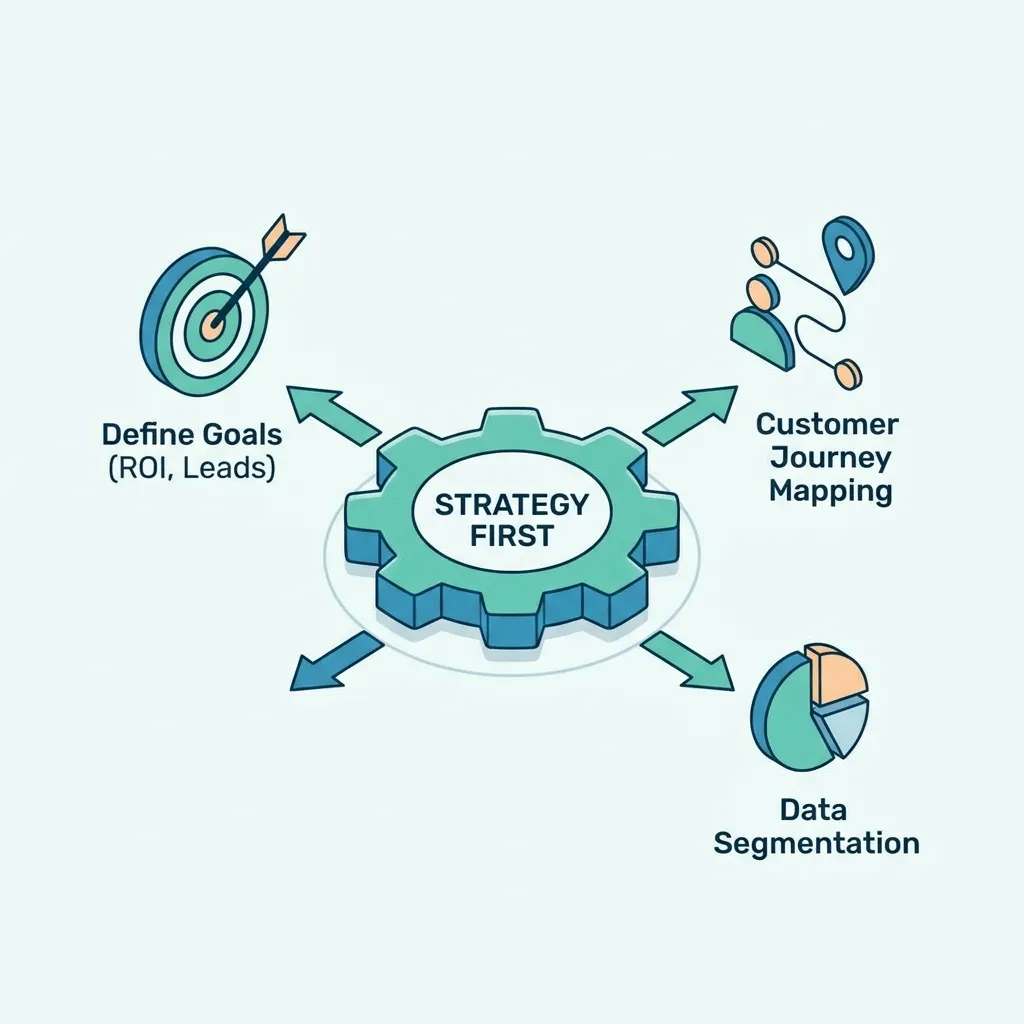
Marketing automation becomes effective when workflows are designed around customer needs rather than simply increasing message volume.
Keep Automation Customer-Centric
Every automated message should provide a clear reason for being sent.
Avoid creating automation simply because the technology allows it.
Ask:
- Is this message useful?
- Is the timing appropriate?
- Does the customer need this information?
- Is the message relevant to the customer’s stage?
Personalize Automated Communication
Automation does not have to mean generic communication.
Businesses can personalize messages using:
- Customer names
- Product interests
- Previous purchases
- Industry
- Lifecycle stage
- Website behavior
- Engagement history
The more relevant the communication, the more useful automation becomes.
Test Your Workflows
Always test automation before launching it.
Check:
- Trigger conditions
- Email timing
- Personalization fields
- Links
- Segmentation rules
- CRM updates
- Exit conditions
- Notifications
A small workflow error can affect a large number of contacts.
Monitor Performance
Track metrics such as:
- Open rate
- Click-through rate
- Conversion rate
- Lead-to-customer rate
- Revenue
- Unsubscribe rate
- Engagement rate
- Workflow completion rate
Use these insights to improve campaigns continuously.
AI Marketing Automation
AI marketing automation combines artificial intelligence with automated marketing processes to improve personalization, prediction, content creation, segmentation, and optimization.
AI can help automation systems move beyond simple rule-based workflows.
How AI Improves Marketing Automation
AI can analyze large amounts of customer data and identify patterns that may be difficult to detect manually.
Potential applications include:
- Predictive lead scoring
- Customer behavior analysis
- Content recommendations
- Personalized messaging
- Churn prediction
- Audience segmentation
- Campaign optimization
- Automated content generation
Artificial Intelligence Marketing Automation Use Cases
Artificial intelligence marketing automation can be applied throughout the customer lifecycle.
For example:
Lead generation: Predict which leads are most likely to convert.
Email marketing: Recommend content or messaging based on customer behavior.
E-commerce: Recommend relevant products.
Customer retention: Identify customers showing signs of disengagement.
Sales support: Prioritize leads according to predicted buying intent.
AI vs Rule-Based Automation
Traditional automation generally follows predefined rules.
For example:
If customer downloads content → Send email.
AI-powered automation can potentially use larger datasets and predictive models.
For example:
Analyze customer behavior → Predict intent → Select relevant content → Determine timing → Trigger communication.
AI does not eliminate the need for strategy. Poor data, unclear objectives, and badly designed workflows can still produce poor outcomes.
How to Implement AI Automation Responsibly
Businesses should consider:
- Data quality
- Privacy
- Transparency
- Human oversight
- Model accuracy
- Customer expectations
- Testing
AI should support marketing decisions rather than remove human judgment from important customer interactions.
Marketing Automation and CRM Integration
Marketing automation and CRM integration connects marketing activity with customer and sales information.
A CRM typically stores information about leads, prospects, and customers, while marketing automation manages campaigns and customer interactions.
When connected, the two systems can create a more complete customer lifecycle.
Why CRM Integration Matters
Integration can help businesses:
- Synchronize contact information
- Track customer interactions
- Improve lead qualification
- Automate sales notifications
- Update customer records
- Coordinate marketing and sales
- Improve reporting
Marketing-to-Sales Workflow
A connected system may operate like this:
Lead captured → Marketing nurturing → Engagement tracked → Lead score increases → Sales notified → Sales follow-up → Customer converted
This creates a clearer handoff between marketing and sales.
CRM Data for Personalization
CRM data can help automation systems personalize communication based on:
- Customer status
- Previous interactions
- Purchase history
- Sales stage
- Industry
- Account information
This is especially useful for B2B organizations with longer sales cycles.
Avoiding CRM Data Problems
Integration is only valuable when the underlying data is reliable.
Businesses should maintain:
- Consistent field definitions
- Duplicate prevention
- Data validation
- Clear ownership
- Regular data cleaning
- Appropriate access controls
Poor CRM data can result in incorrect segmentation and irrelevant automated communication.
Marketing Automation for SaaS
Marketing automation for SaaS businesses is particularly valuable because SaaS customer journeys often include multiple stages, from visitor to free user, trial user, paying customer, and long-term subscriber.
SaaS Lead Nurturing
SaaS companies can automatically nurture leads based on actions such as:
- Pricing page visits
- Product demo requests
- Content downloads
- Trial registrations
- Feature page visits
- Webinar participation
Each action can provide information about customer intent.
Free Trial Automation
A SaaS trial workflow may include:
Trial signup → Welcome email → Product tutorial → Feature education → Usage check → Assistance email → Upgrade message
The timing and content can be adjusted based on product usage.
SaaS Customer Onboarding
Automation can guide new customers through important product experiences.
For example:
- Account setup
- First successful action
- Feature discovery
- Team invitations
- Product education
- Support resources
- Success milestones
The objective is to help customers reach the product’s core value quickly.
SaaS Retention and Expansion
Automation can also support:
- Renewal reminders
- Usage-based communication
- Upselling
- Cross-selling
- Customer education
- Churn prevention
- Customer feedback
For SaaS companies, automation should focus not only on acquisition but also on customer success and retention.
Best Marketing Automation Software
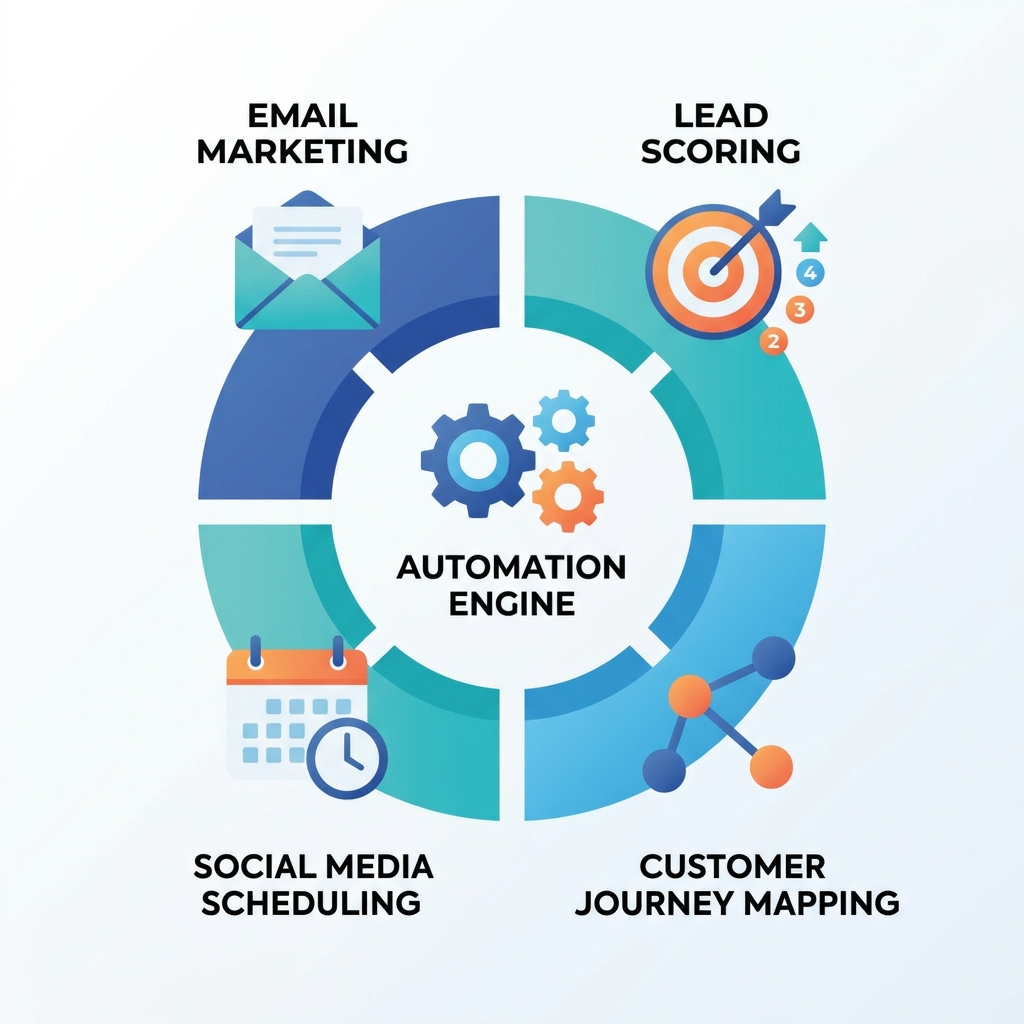
The best marketing automation software depends on business size, marketing channels, budget, CRM requirements, technical capabilities, and automation complexity.
There is no universal software solution that is ideal for every organization.
What to Look for in Marketing Automation Software
Important features include:
- Workflow automation
- Email automation
- Contact management
- Lead scoring
- Segmentation
- CRM integration
- Analytics
- Reporting
- Forms
- Landing pages
- Personalization
- API access
- AI capabilities
Marketing Automation Software for Different Business Sizes
| Business Type | Important Capabilities |
|---|---|
| Small business | Ease of use, email automation, affordability |
| Growing business | CRM, segmentation, workflows, analytics |
| SaaS | Lifecycle automation, product data, lead scoring |
| Enterprise | Scalability, integrations, governance, advanced analytics |
The best marketing automation software is the one that provides the capabilities the business actually needs without unnecessary complexity.
Marketing Automation Platforms
A marketing automation platform generally combines multiple marketing capabilities into one connected environment.
Depending on the platform, it may include:
- Email marketing
- CRM integration
- Lead management
- Workflow automation
- Customer segmentation
- Analytics
- Landing pages
- Forms
- Personalization
- Campaign management
All-in-One Platforms
All-in-one platforms can reduce the need to connect many separate tools.
They can be useful for businesses that want centralized marketing management.
Specialized Platforms
Some businesses prefer specialized tools for particular functions.
For example:
- Email automation
- Customer engagement
- CRM
- E-commerce automation
- Analytics
Specialized tools can provide deeper functionality but may require more integrations.
How to Evaluate Platforms
Before selecting a platform, compare:
- Features
- Pricing
- Scalability
- Integrations
- Ease of use
- Automation flexibility
- Reporting
- Support
- Security
- Data management
Marketing Automation Tools
Marketing automation tools can be divided into several categories.
Email Automation Tools
These tools automate:
- Email sequences
- Welcome messages
- Follow-ups
- Re-engagement
- Product communication
- Customer education
Lead Management Tools
Lead management tools help businesses:
- Capture leads
- Segment prospects
- Score leads
- Track engagement
- Route qualified leads
CRM and Sales Automation Tools
These tools connect customer information with sales activities.
They can automate:
- Lead assignment
- Sales notifications
- Follow-up tasks
- Contact updates
- Pipeline management
Analytics and Optimization Tools
Analytics tools help marketers understand:
- Campaign performance
- Customer behavior
- Conversion rates
- Revenue attribution
- Workflow performance
Using several specialized tools can be effective, but integration and data consistency become increasingly important.
Marketing Automation Software Comparison
A marketing automation software comparison should focus on business requirements instead of simply comparing feature counts.
| Evaluation Factor | Questions to Ask |
|---|---|
| Automation | Can it build the workflows you need? |
| CRM | Does it integrate with your CRM? |
| Does it support advanced email automation? | |
| Segmentation | Can audiences be dynamically segmented? |
| Analytics | Does it provide useful reporting? |
| AI | Does it provide relevant AI capabilities? |
| Integrations | Does it connect with existing tools? |
| Scalability | Can it support future growth? |
| Pricing | Does the cost match expected value? |
| Usability | Can the team use it efficiently? |
Feature Comparison
When comparing platforms, prioritize features based on actual workflows.
For example, a small company may value simplicity and affordability more than advanced enterprise analytics.
A SaaS company may prioritize product-event data, lifecycle automation, and CRM integration.
An enterprise organization may prioritize governance, security, scalability, and complex integrations.
Cost vs Value
The cheapest platform is not always the most cost-effective option.
Consider the total value generated through:
- Time savings
- Higher conversions
- Better lead management
- Increased retention
- Improved customer engagement
- Reduced manual work
A more expensive platform can provide better value if it significantly improves business performance.
How to Build a Marketing Automation System
A successful marketing automation system should be developed systematically.
Step 1: Audit Existing Marketing Processes
Identify repetitive activities that consume significant time.
Look for:
- Manual email sequences
- Lead follow-ups
- Data entry
- Customer onboarding
- Reporting
- Segmentation
- Campaign scheduling
Step 2: Select High-Impact Automations
Do not automate everything at once.
Start with processes that have:
- High frequency
- Clear rules
- Significant time requirements
- Strong business impact
Step 3: Build Customer Segments
Create meaningful audience groups based on customer information and behavior.
Avoid creating unnecessary segments that are difficult to maintain.
Step 4: Create Workflows
Define:
- Trigger
- Conditions
- Actions
- Timing
- Exit criteria
- Success metric
Document each workflow before implementation.
Step 5: Integrate Your Systems
Connect the automation platform with relevant systems such as:
- CRM
- Website
- E-commerce platform
- Analytics
- Customer support
- Product database
Step 6: Test and Optimize
Run tests before full deployment.
Then monitor results and continuously improve the workflows.
Common Marketing Automation Mistakes
Automation can create problems when businesses focus on volume instead of relevance.
Automating Too Much Too Quickly
Starting with dozens of complex workflows can create unnecessary complexity.
Begin with high-impact use cases.
Sending Too Many Messages
Automation makes it easy to send frequent messages.
That does not mean customers want frequent communication.
Monitor engagement and unsubscribe rates carefully.
Poor Segmentation
Sending the same message to every customer reduces personalization.
Use meaningful segmentation based on customer needs and behavior.
Ignoring Human Interaction
Automation should not eliminate valuable human communication.
Sales teams, customer success teams, and support professionals still play important roles in customer relationships.
Failing to Maintain Workflows
Customer journeys and business processes change over time.
Review workflows regularly to ensure they still reflect:
- Current products
- Current offers
- Current customer journeys
- Current business goals
- Current data structures
Marketing Automation Metrics and KPIs
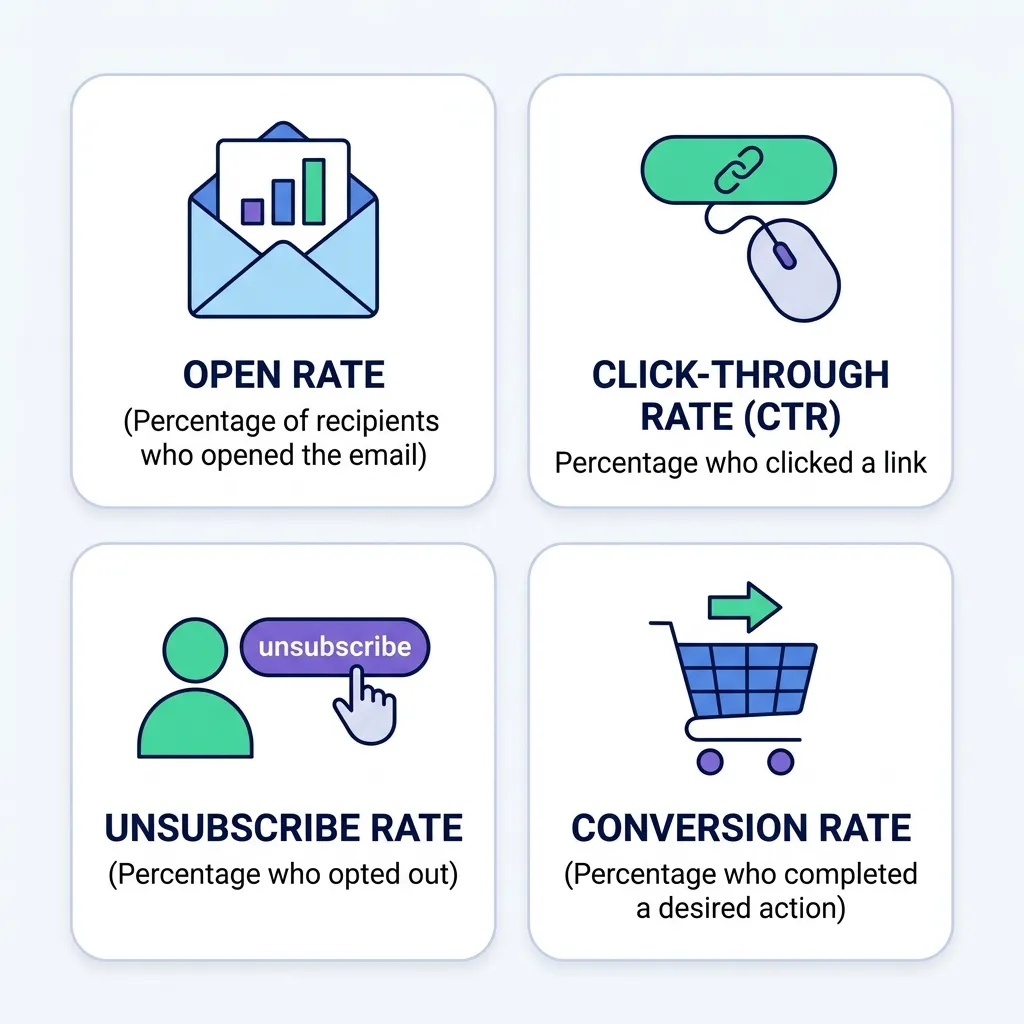
Marketing automation should be measured using metrics connected to business outcomes.
Engagement Metrics
Common engagement metrics include:
- Email open rate
- Click-through rate
- Website engagement
- Content downloads
- Workflow participation
These metrics indicate whether customers are interacting with campaigns.
Conversion Metrics
More important business metrics can include:
- Lead conversion rate
- Trial-to-paid conversion
- Purchase conversion
- Marketing-qualified leads
- Sales-qualified leads
Revenue Metrics
Businesses can also evaluate:
- Revenue generated
- Customer acquisition cost
- Customer lifetime value
- Revenue per campaign
- Expansion revenue
Efficiency Metrics
Automation should also demonstrate operational value.
Measure:
Hours saved
Manual tasks eliminated
Response time
Workflow completion
Campaign production time
The strongest automation programs connect operational efficiency with measurable revenue and customer outcomes.
Future of Marketing Automation
Marketing automation is evolving from simple rule-based communication toward increasingly intelligent and connected customer experiences.
AI-Powered Personalization
AI can help businesses personalize customer experiences based on behavior, preferences, and predicted intent.
Predictive Customer Analytics
Automation systems may increasingly use predictive models to identify:
- High-intent leads
- Churn risk
- Purchase probability
- Upsell opportunities
- Customer engagement patterns
Omnichannel Automation
Future automation strategies will increasingly connect:
- Websites
- Mobile applications
- SMS
- Social platforms
- Customer support
- CRM systems
This creates more consistent customer experiences across channels.
For marketers interested in automation within mobile ecosystems, AppMarketo’s marketing automation resources provide additional context around automation-focused marketing applications.
Real-Time Customer Journeys
Instead of relying only on scheduled campaigns, automation can increasingly respond to customer actions in real time.
For example:
Customer action → Data captured → Intent analyzed → Content selected → Message delivered
This can make customer communication more timely and relevant.
Conclusion
Marketing automation has become an important part of modern digital marketing because it allows businesses to create scalable, personalized, and measurable customer journeys. From small businesses managing limited resources to SaaS companies handling complex customer lifecycles, automation can reduce repetitive work while improving the consistency of marketing operations.
A successful marketing automation strategy starts with clear goals, meaningful segmentation, well-designed workflows, appropriate software, reliable customer data, and continuous measurement. Businesses should automate repetitive processes without sacrificing relevance or the human side of customer relationships.
Marketing automation software and platforms can support email campaigns, lead nurturing, CRM integration, customer onboarding, analytics, and lifecycle marketing. Meanwhile, AI marketing automation is expanding these capabilities through predictive analytics, personalization, intelligent segmentation, and content optimization.
The best approach is not to automate everything. Instead, identify the customer journeys and repetitive processes where automation can create the greatest value, build simple workflows, measure their performance, and gradually expand the system as your business grows.
Frequently Asked Questions About Marketing Automation
What is marketing automation?
Marketing automation is the use of software to automate repetitive marketing activities such as email campaigns, lead nurturing, segmentation, customer engagement, and campaign management.
What are the main benefits of marketing automation?
The main benefits include saving time, improving lead nurturing, increasing personalization, reducing repetitive work, improving marketing efficiency, and supporting scalable customer engagement.
What is a marketing automation workflow?
A marketing automation workflow is a sequence of automated actions triggered by customer behavior, events, or predefined conditions.
What is marketing automation software?
Marketing automation software is technology that helps businesses create, manage, automate, and measure marketing activities across customer journeys.
Is marketing automation useful for small businesses?
Yes. Marketing automation can help small businesses reduce manual work, improve lead follow-up, and maintain consistent customer communication with limited marketing resources.
What are marketing automation tools?
Marketing automation tools include software for email automation, lead management, CRM integration, customer segmentation, analytics, campaign management, and workflow automation.
What is AI marketing automation?
AI marketing automation combines artificial intelligence with marketing automation to support tasks such as predictive lead scoring, personalization, customer analysis, content recommendations, and campaign optimization.
How does marketing automation integrate with CRM?
Marketing automation can exchange customer and lead information with a CRM, allowing businesses to synchronize contacts, track engagement, score leads, automate sales notifications, and improve marketing-sales coordination.
Is marketing automation good for SaaS companies?
Yes. SaaS businesses can use automation for lead nurturing, free-trial onboarding, customer education, product engagement, retention, upselling, and renewal communication.
How do I choose the best marketing automation software?
Compare software based on workflow capabilities, CRM integration, segmentation, analytics, AI functionality, scalability, integrations, pricing, usability, and the specific needs of your business.
What are the most important marketing automation KPIs?
Important KPIs include conversion rate, lead-to-customer rate, engagement, qualified leads, revenue, customer acquisition cost, customer lifetime value, retention, and operational time savings.
Can marketing automation replace marketers?
No. Marketing automation can reduce repetitive work and support decision-making, but strategy, creativity, customer understanding, positioning, and human judgment remain important parts of marketing.





Comments (4)
Marketing Automation for Small Business: Complete Guidesays:
September 2, 2026 at 12:17 pm[…] a broader overview, the existing Marketing Automation Complete Guide to Strategy provides the larger strategic […]
Marketing Automation Tools for Small Business:Complete Guidesays:
September 3, 2026 at 10:19 am[…] businesses exploring broader automation strategy, the complete marketing automation strategy guide can serve as a related […]
Marketing Automation Strategy: Complete Guidesays:
September 3, 2026 at 11:20 am[…] businesses already developing an automation system, the existing Marketing Automation Complete Guide can provide broader background, while this guide focuses specifically on strategic planning and […]
Marketing Automation Tools: Features, Types & How to Picksays:
September 16, 2026 at 9:06 am[…] audiences from within the same workflow rather than requiring separate tools for each channel. Our complete guide to marketing automation strategy covers how these capabilities fit into a broader plan, which is worth reading before evaluating […]