

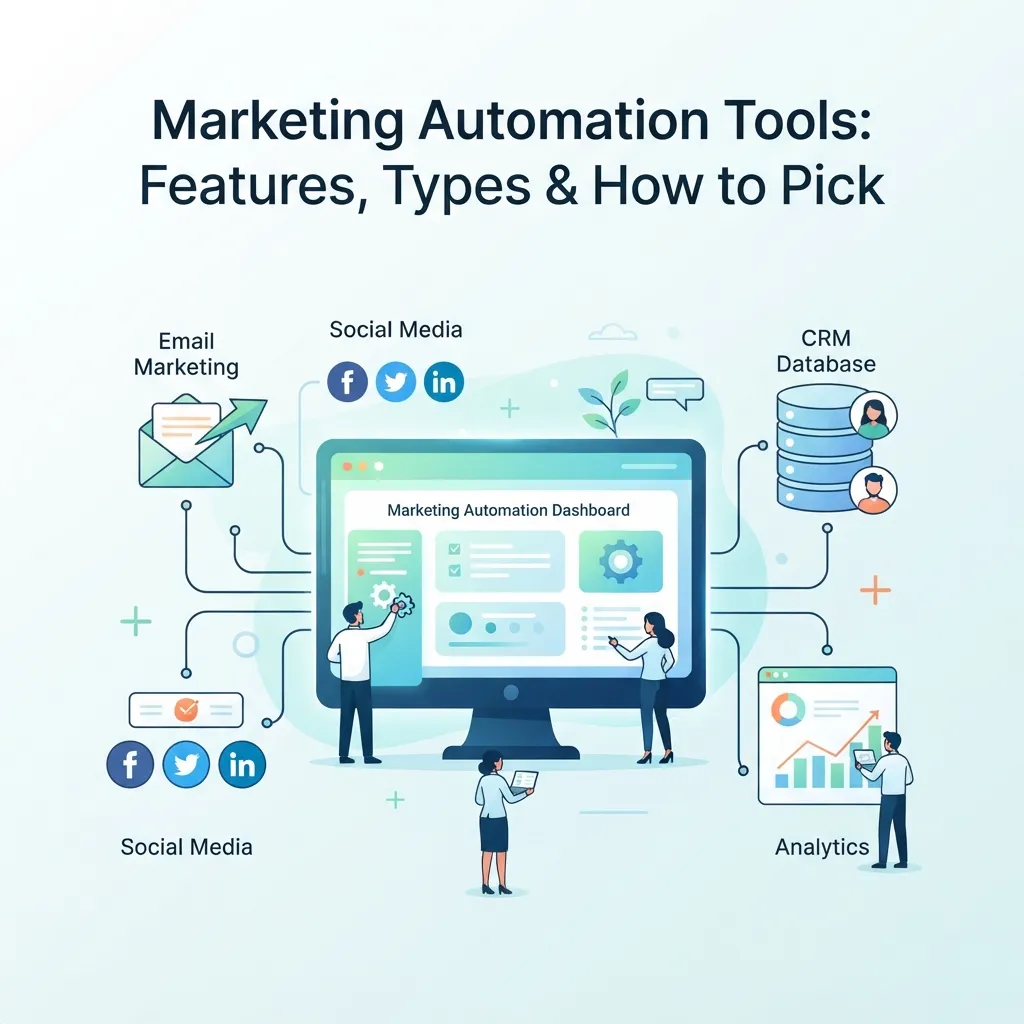
Marketing automation tools help teams run personalized, behavior-driven campaigns without manually executing every step. This guide explains what these tools do, the main categories available, the features that matter most, and how to evaluate options against a specific business’s needs rather than a generic feature checklist.
Most marketing teams reach a point where manual execution simply stops scaling. Sending individual follow-up emails, tracking which leads engaged with what, and coordinating messages across channels works fine with a few dozen contacts — it breaks down completely at a few thousand. That’s the gap marketing automation tools were built to fill.
These platforms let a team define a workflow once — what happens when someone signs up, abandons a cart, or downloads a resource — and then execute that workflow automatically for every contact who meets the trigger conditions. The result isn’t just time saved; it’s messaging that arrives at the moment a contact is actually engaged, rather than whenever a marketer happens to get around to sending it. This guide walks through how marketing automation tools work, what categories exist, which features genuinely matter, and how to narrow down a shortlist without overbuying capability a team will never use.
What Marketing Automation Tools Actually Do

At a basic level, marketing automation tools centralize contact data and connect it to triggered actions. A contact’s behavior — a page visit, an email open, a purchase, a form submission — feeds into the platform, which then executes whatever sequence the marketer has defined for that behavior.
Most platforms bundle several core functions together:
- Email campaign management — building, scheduling, and sending campaigns from templates
- Segmentation — grouping contacts by demographics, behavior, or lifecycle stage
- Workflow builders — visual editors for mapping multi-step, conditional journeys
- Lead scoring — assigning numerical values to contacts based on engagement signals
- Landing pages and forms — capturing contact data without a separate tool
- Reporting and attribution — connecting campaign activity to engagement or revenue
More capable platforms extend this into omnichannel orchestration — coordinating email, SMS, push notifications, and paid ad audiences from within the same workflow rather than requiring separate tools for each channel. Our complete guide to marketing automation strategy covers how these capabilities fit into a broader plan, which is worth reading before evaluating specific vendors.
Categories of Marketing Automation Tools
Not all platforms in this space serve the same purpose. Understanding the categories makes it much easier to narrow a search.
All-in-One Platforms
These combine marketing automation, CRM, and sometimes sales tools into a single connected system. They suit teams that want lead capture, nurturing, and sales handoff to live in one place rather than being stitched together across multiple vendors. The tradeoff is usually cost and complexity — all-in-one platforms tend to price higher and require more onboarding time than focused alternatives.
Email-First Automation Tools
Some marketing automation tools started as email platforms and expanded into automation. These typically offer strong email deliverability and a gentler learning curve, but shallower support for non-email channels. For businesses whose primary channel is email, this can be a better fit than a heavier platform with capabilities that go unused.
Ecommerce-Native Platforms
Built specifically for online stores, these platforms sync directly with commerce systems and ship with prebuilt flows for cart abandonment, browse abandonment, post-purchase follow-up, and win-back campaigns. Their reporting tends to focus on revenue attribution rather than general engagement metrics, which matters when the goal is tying a specific workflow to actual sales.
Enterprise Orchestration Suites
Designed for large organizations with complex, multi-team campaigns and very large contact databases, these platforms offer deep customization and granular permission controls. They require significant technical resources to configure and maintain, making them a poor fit for small teams regardless of budget.
CRM-Embedded Automation
Many CRMs now include basic automation features — triggered emails, task assignment, simple sequences. For businesses with straightforward needs, this may be sufficient without adding a separate platform. For anything involving complex branching logic or multi-channel journeys, dedicated marketing automation tools typically offer meaningfully more depth.
Features That Actually Matter When Comparing Tools
Vendor feature lists tend to look remarkably similar, which makes them a poor basis for comparison. A few criteria matter far more than the rest:
- Workflow flexibility. Can the builder handle conditional branching, delays, and multiple entry points, or only linear sequences?
- Data integration. Does it sync cleanly with an existing CRM, ecommerce platform, and analytics stack without manual exports?
- Segmentation depth. Basic demographic filtering is now standard; behavior-based and predictive segmentation is what separates stronger platforms.
- Channel coverage. Email only, or SMS, push, and ad audience sync as well?
- Reporting clarity. Can the team actually trace a conversion back to a specific workflow, or does reporting stop at open and click rates?
- Pricing structure. Most platforms scale cost with contact count or feature tier — projecting growth matters more than comparing entry-level prices.
- Onboarding and support. Complex platforms frequently stall out without dedicated setup help, particularly for teams without a marketing operations specialist.
Our guide on marketing automation best practices covers how to configure these features once a platform is chosen, including the setup mistakes that commonly undercut a tool’s value.
Matching Marketing Automation Tools to Business Size
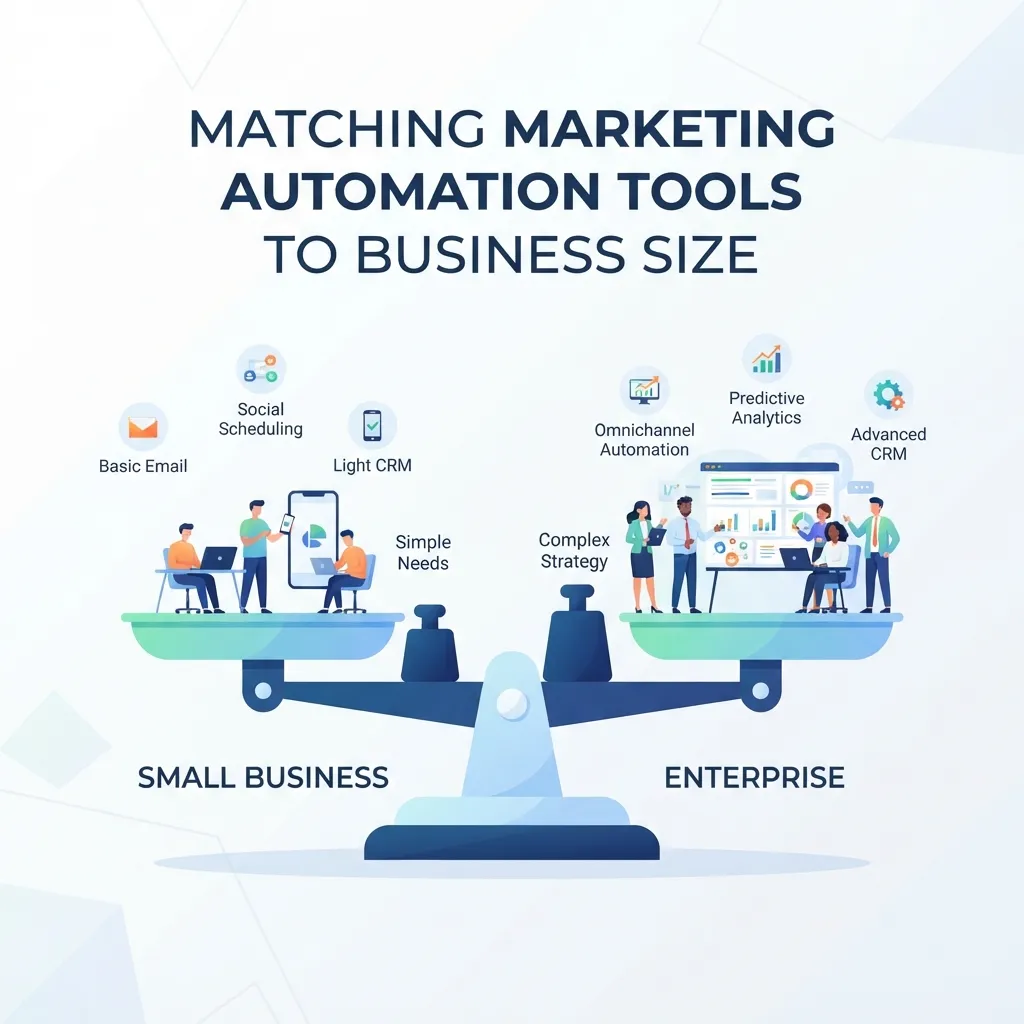
The right platform depends heavily on team structure and technical capacity, not just budget.
Small businesses and solo marketers generally do better with platforms that prioritize ease of use over maximum customization. A tool that’s genuinely usable day-to-day tends to outperform a more powerful platform that never gets configured properly. Our resource on marketing automation tools for small business walks through which features matter most when one person manages the platform alongside other responsibilities.
Mid-sized teams usually have enough volume to justify behavior-based segmentation and multi-channel workflows, and enough staff to maintain them. This is often where an all-in-one platform starts making sense, particularly if sales and marketing need shared visibility into the same contact records.
Enterprise organizations typically need granular permissions, multi-brand or multi-region support, and integration with existing data infrastructure. At this scale, implementation is a project rather than a signup, and the evaluation usually involves IT alongside marketing.
Common Mistakes When Adopting Marketing Automation Tools
A few patterns show up repeatedly among businesses that end up disappointed with their platform.
Buying for features rather than workflows. Teams often evaluate platforms by comparing feature lists, then discover that the specific workflows they actually need are awkward to build. Mapping two or three real workflows during a trial reveals far more than a spec sheet.
Underestimating setup time. Even a well-suited platform requires meaningful configuration — importing contacts, connecting integrations, building templates, and testing sequences. Businesses that rush this stage often end up with half-configured workflows that never deliver the promised efficiency.
Over-automating too quickly. Enabling every possible triggered message can overwhelm contacts and damage deliverability. Starting with a handful of well-tested workflows and expanding gradually tends to produce better results than launching a dozen sequences simultaneously.
Ignoring data hygiene. These platforms amplify whatever contact data they’re given, including bad data. Duplicate records, outdated email addresses, and inconsistent field formatting all degrade results, and cleaning data after a migration is considerably harder than before it.
Treating the tool as the strategy. A platform executes workflows efficiently, but it doesn’t decide who to target, what to say, or when the timing is right. Automation without a clear strategy usually just sends mediocre messages faster.
How Automation Fits Into a Broader Marketing Mix
Marketing automation tools work best as one component of a coordinated approach rather than a standalone solution. Automated digital workflows handle scale and timing well, but they’re most effective when the messaging, positioning, and audience definition behind them are already clear.
Businesses running both digital and offline channels also need to think about how automation complements rather than replaces other efforts. Our peers’ overview of integrating traditional and digital marketing is a useful reference for thinking through how automated campaigns coordinate with channels that can’t be automated in the same way — events, direct mail, or broadcast advertising, for instance.
The same principle applies to channel-level planning. A brand running local broadcast campaigns alongside automated email sequences benefits from consistent messaging across both, and understanding why traditional advertising still works helps clarify where automation adds value and where a less automated approach still performs better.
Measuring Whether Your Tools Are Actually Working
Adopting marketing automation tools should produce measurable improvement, not just a new monthly subscription. A few metrics indicate whether a platform is earning its cost:
- Time saved on repetitive tasks — the most immediate and easiest benefit to verify
- Conversion rate by workflow — which specific sequences actually move contacts forward
- Revenue attributed to automated campaigns — particularly important for ecommerce
- List health over time — whether engagement rates hold steady or decline as automation scales
- Speed to launch — how quickly a new campaign can go live compared to the previous manual process
If these numbers aren’t improving after a reasonable ramp-up period, the issue is usually configuration or strategy rather than the tool itself. Reviewing workflow logic, segmentation criteria, and message timing typically resolves more problems than switching platforms does. Our marketing automation workflow guide covers how to audit and rebuild an underperforming sequence step by step.
Getting Started Without Overcommitting

For a team adopting automation for the first time, the most reliable path is narrow rather than broad. Picking a single high-value workflow — a welcome sequence, a cart recovery flow, or a lead nurture track — and building it properly teaches far more than launching six sequences at once. It also produces a measurable result quickly, which matters when justifying the subscription cost internally.
Most vendors offer a trial period, and the way to use it well is to build a real workflow with real contact data rather than clicking through a demo environment. A platform that looks polished in a sales presentation can turn out to be awkward for the specific branching logic a business relies on, and that only becomes obvious during hands-on setup. Running the same two or three workflows through two shortlisted platforms during overlapping trials is often the fastest way to see a genuine difference.
It’s also worth deciding in advance who owns the platform day to day. Automation systems tend to drift when nobody is responsible for maintaining them — workflows stay live long after a promotion ends, segments go stale, and integrations quietly break after a CRM update. Assigning clear ownership, even if it’s a part-time responsibility for one person, prevents most of the slow degradation that leads teams to blame the software when the real issue is neglect.
Finally, plan for a review cadence. Quarterly is enough for most teams: check which sequences are still relevant, retire the ones that aren’t, and look at whether engagement rates are holding steady as the contact list grows. That habit does more for long-term results than any individual feature comparison made at the point of purchase.
Conclusion
Marketing automation tools have become close to essential for any business managing more contacts than a team can personally follow up with. But the value comes from fit rather than features — the most capable platform on the market delivers nothing if a team can’t configure it, and a simpler tool used well consistently outperforms a sophisticated one used badly.
The most reliable approach is to map the specific workflows a business actually needs, test those workflows during a trial rather than comparing feature lists, and choose a platform with enough room to grow without paying for enterprise capability years before it’s relevant. Combined with clean data, a clear strategy, and realistic expectations about setup time, the right tool can meaningfully expand what a small team is capable of delivering.
Frequently Asked Questions (FAQs)
1. What are marketing automation tools?
They are software platforms that centralize contact data and automatically execute marketing workflows, including emails, segmentation, lead scoring, and multi-channel messaging based on contact behavior.
2. How are they different from email marketing software?
Email software focuses on sending campaigns to a list. Automation platforms orchestrate broader, behavior-triggered workflows that can span multiple channels and integrate with a CRM.
3. Do small businesses actually need them?
Not always at the start, but many businesses benefit once manual follow-up stops scaling. The right point depends on contact volume and how personalized the outreach needs to be.
4. Can a CRM replace a dedicated automation platform?
Many CRMs include basic automation, which may be sufficient for simple needs. Complex branching workflows, multi-channel journeys, and deeper segmentation may require a dedicated solution.
5. How long does it take to set up a marketing automation platform?
Simple platforms can be functional within days, while enterprise systems with complex integrations may take weeks or months depending on data migration and workflow requirements.
6. How much do these platforms typically cost?
Pricing generally scales with contact list size and feature tier, ranging from modest small-business plans to substantial enterprise contracts. Projecting future growth can be more useful than comparing entry prices alone.
7. What’s the most important feature to look for?
Workflow flexibility and clean data integration tend to be important because they determine whether the sequences a business needs can be built, connected, and maintained effectively.
8. Can these tools replace a marketing team?
No. They execute predefined workflows efficiently, but strategy, messaging, segmentation logic, and creative decisions still require human input.
9. What happens if a business over-automates?
Sending too many triggered messages can overwhelm contacts, increase unsubscribe rates, and potentially affect email deliverability. A gradual rollout helps identify problems before they scale.
10. Is AI standard in modern marketing automation tools?
AI features such as send-time optimization, predictive scoring, and content recommendations are increasingly common, although the depth and quality of integration vary between platforms.
11. How difficult is it to switch platforms later?
Switching is possible but usually involves migrating contact data, rebuilding workflows, and retraining the team. Choosing a solution with room to grow can reduce the need for frequent migrations.
12. What’s the biggest mistake teams make with marketing automation tools?
Treating the platform as a strategy in itself is a common mistake. Automation scales existing messaging and targeting but does not automatically improve their quality.





Comments (1)
Marketing Automation Software Comparison: How to Choosesays:
September 16, 2026 at 11:14 am[…] a specific piece of software is only one part of a broader decision. Understanding the different features and types of marketing automation tools available before comparing specific vendors helps clarify whether a team actually needs an all-in-one […]